Everything the tutorial teaches and everything it doesn't. Ten minutes to read. Written for version 1.2, iPad, Mac and iPhone.
Jump to: Basics · Building · Getting around · The lobby · Facades · Money and stars · Air rights and the greening grant · Underground · Sites and tips · Walking through the tower · On iPhone
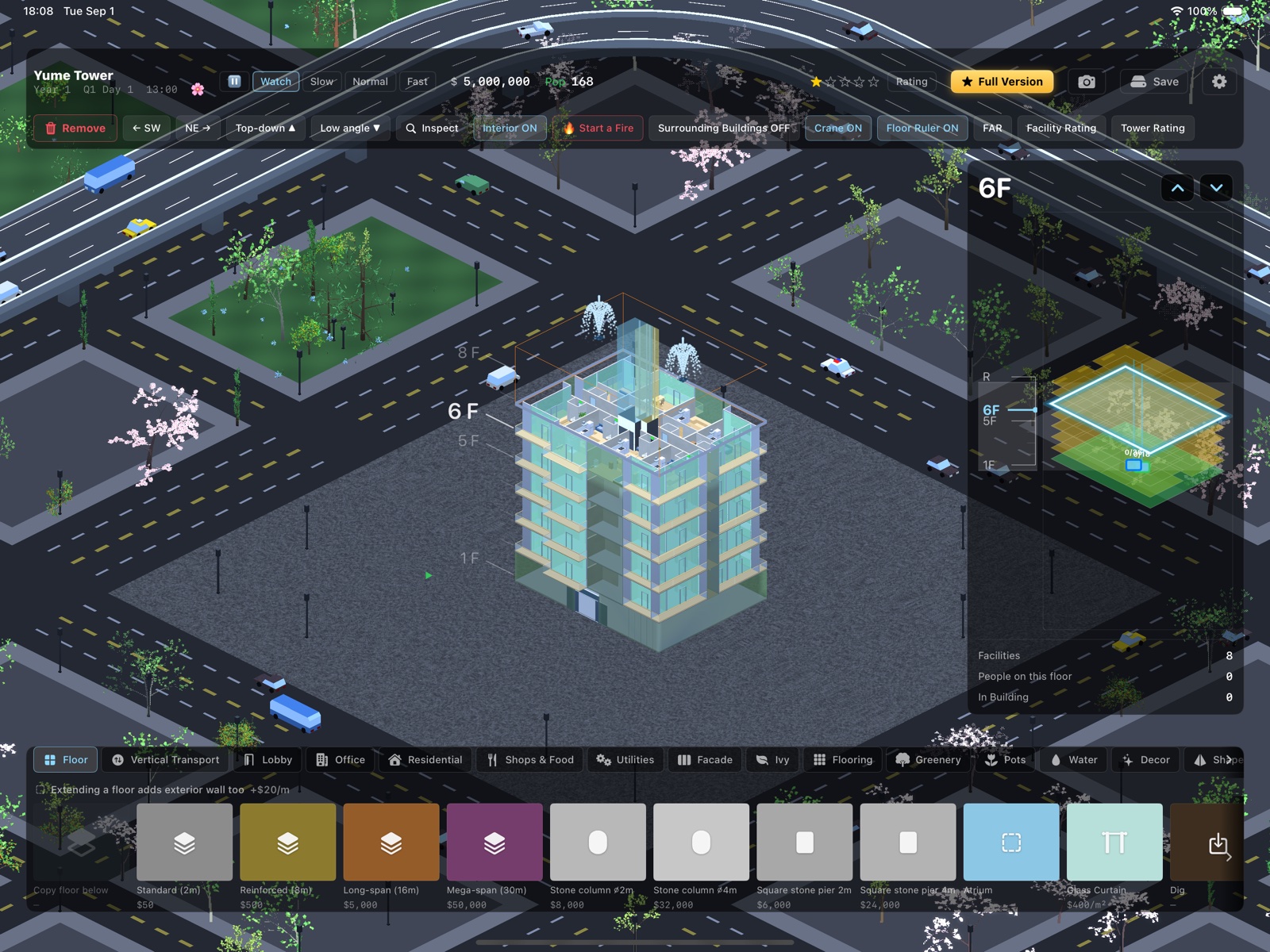
The work floor is the heart of the controls. The panel on the right (and the ruler beside the tower) shows which floor is open; everything above it is cut away so you can see inside. Change it with the up and down buttons, or tap a floor number on the ruler. Two fingers rotate the view in 90 degree steps (or use the SW and NE buttons), and Top-down / Low angle change the camera pitch.
The top bar shows the clock (Year, Quarter, Day, time), your balance, and the population. Speed buttons: Watch runs in real time, Normal is about five minutes per day, Fast is about two. The flower button pauses.
Interior ON shows the rooms inside the cut; turn it off for a solid building. Inspect turns taps into a survey tool: tap any room to see its tenants, rating and rent, or tap a person to see where they are going.
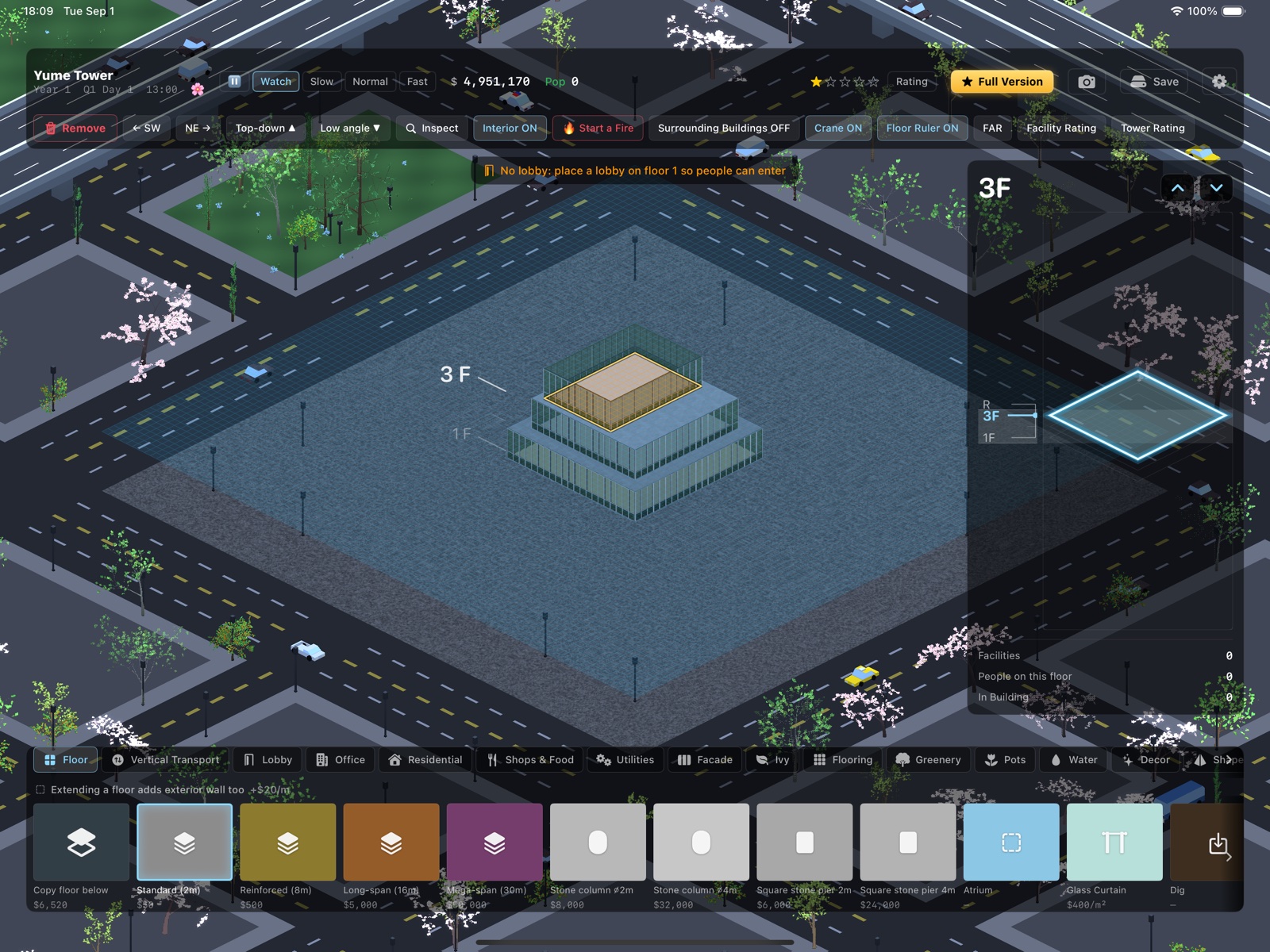
Order of operations: floor first, rooms second. Pick a floor type from the Floor tab and drag a rectangle. Then pick a facility (Office, Residential, Shops & Food...) and drag it onto the plate. Corridors grow automatically around rooms so people can reach their doors, and extending a floor adds exterior wall at a small cost per metre.
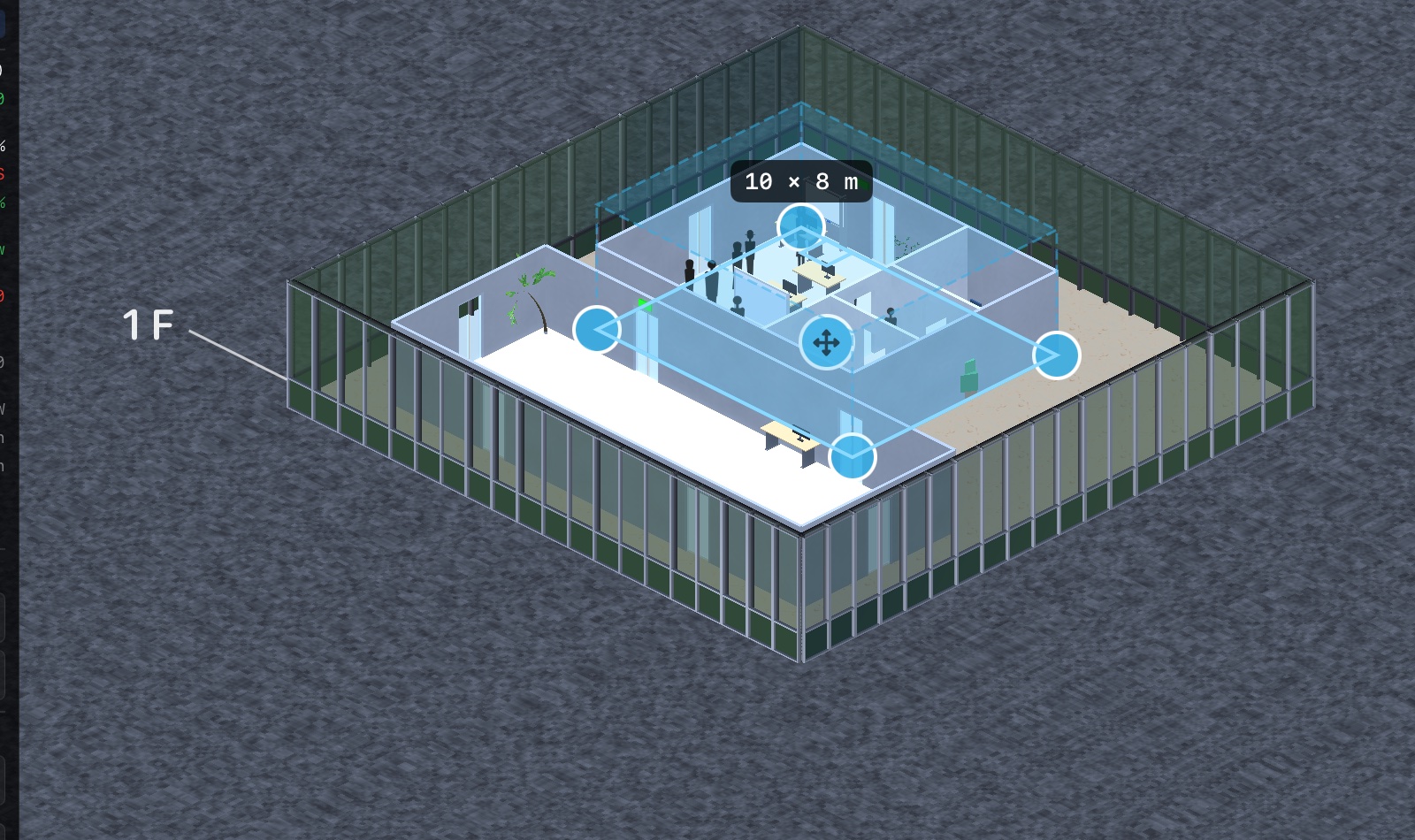
There is no undo in this game. Instead, almost everything can be fixed after the fact: tap a room and drag its corner handles to resize (growing costs the difference), or drag the cross to move it. Moving and shrinking on the same floor are free. Elevators, stairs and even subway stations can be moved the same way. The Remove tool (top left) demolishes; it also puts away whatever tool you were holding, so it is always safe to reach for.
Big commitments like the recycling center, the stock exchange or a station cost real money and are not refunded when removed. Place them like you mean it.
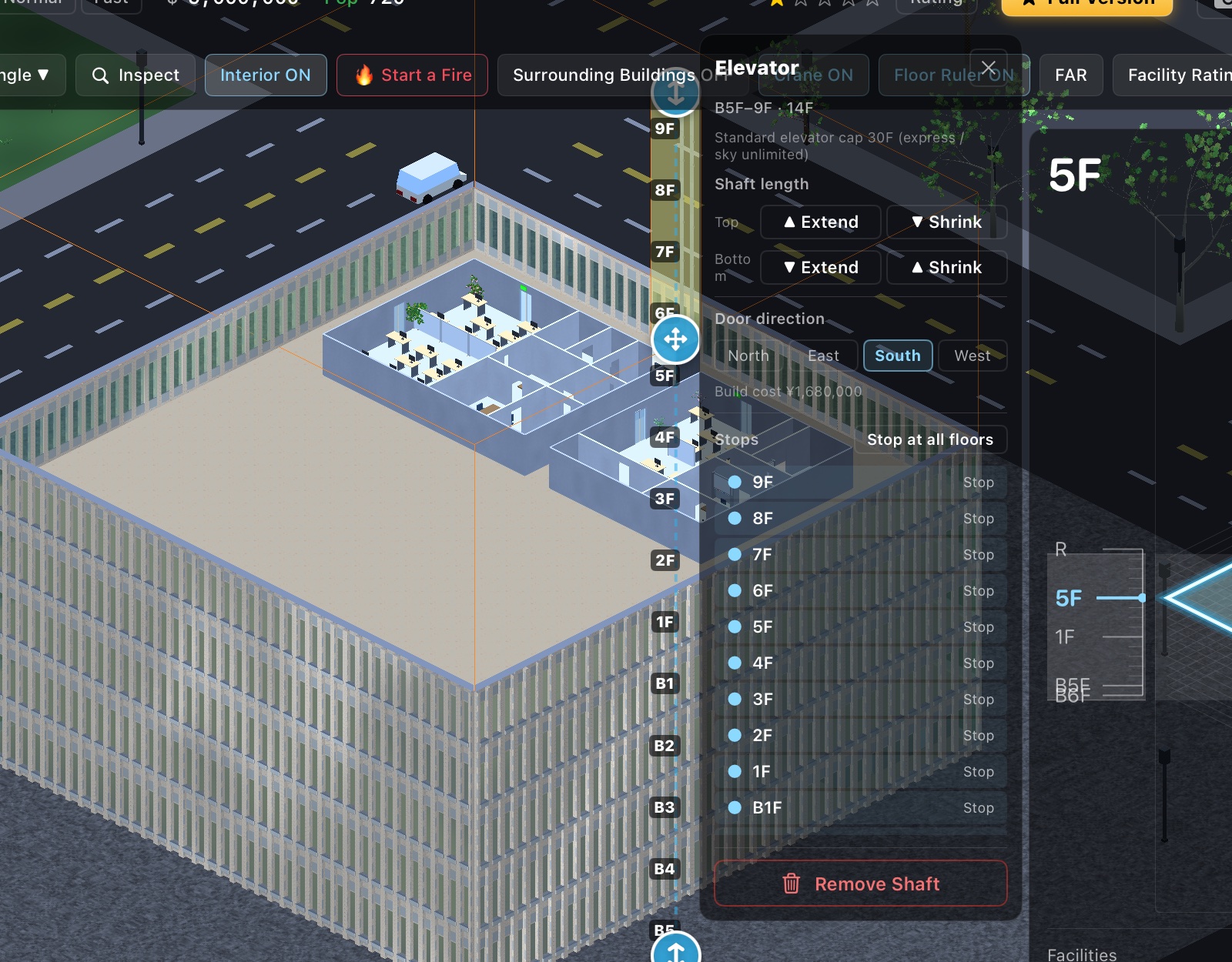
People walk along corridors and change floors by stairs, escalators and elevators (Vertical Transport tab). A standard elevator serves up to 30 floors; skip stops you don't need, because every stop slows the car. Express and freight elevators exist for tall towers and hotels. The arrows on a selected shaft extend or shrink it; the cross moves the whole shaft for free.
A fire escape that runs the full height of each wing is required to rank up from two stars onward. It is also genuinely used in fires.
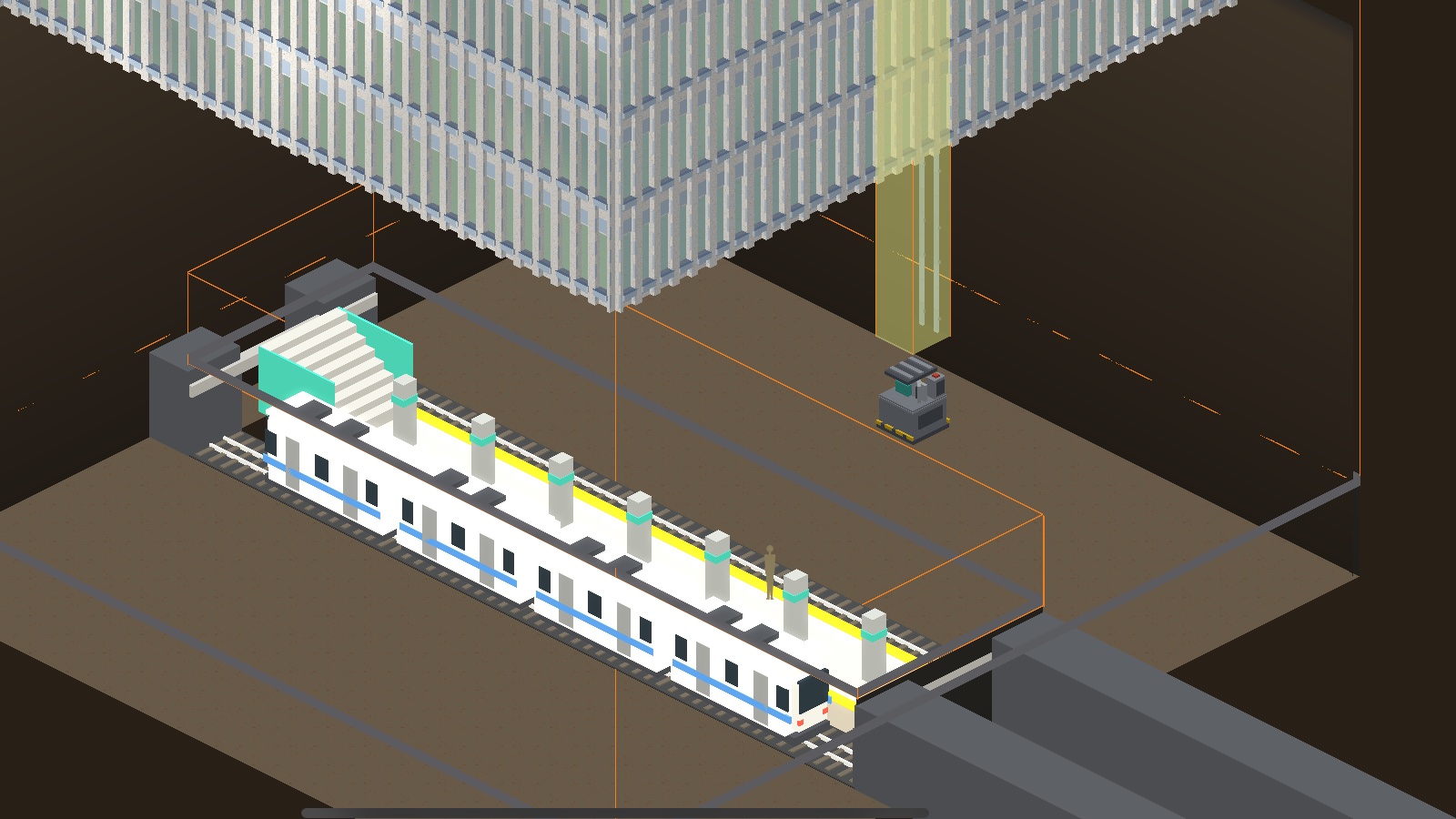
Stations (subway, monorail, ferry) are two-storey structures that pump visitors into the tower. Connect the concourse to the ground floor with an elevator or stairs, or nobody can leave the station. They are expensive, but they are the single biggest population lever in the game.
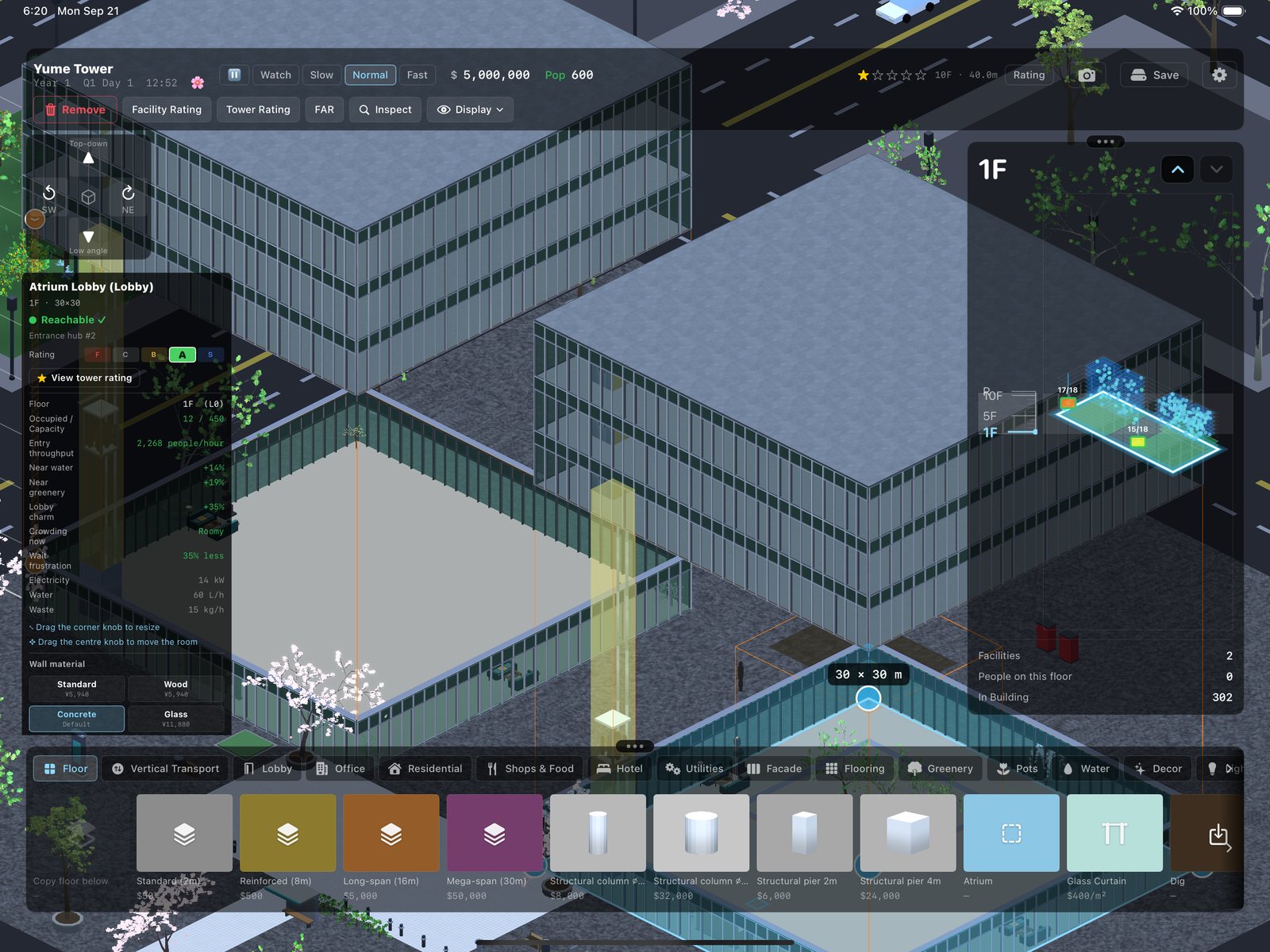
Everyone enters through a ground-floor lobby, and through the entrance door on the lobby's own outer wall. No lobby, or a lobby with no door on it, and nobody comes in at all: the tower stands there looking handsome and empty. Stations are the other way in. A subway, monorail or ferry concourse delivers crowds on a schedule, as long as stairs or a lift connect that concourse to the ground.
The door is the valve. A plain swing door admits people at the speed of a polite queue, a revolving drum does better, and a wide sliding door or a grand portal better still. The lobby inspector tells you how many people an hour your doors can take, and a queue on the pavement is the game's way of mentioning that you economised on the entrance.
Waiting is the main source of unhappiness in this game. People arrive calm and redden while they wait for a lift, and that colour feeds satisfaction, ratings, rent, and eventually the moving vans.
A good lobby softens the wait, and the nice things have to be in the lobby itself: greenery, a fountain or a pool, marble underfoot, a glass curtain around it, a vending machine or two. A vending machine one room away comforts nobody. Best of all is an atrium: open the floors above the lobby and make them lobby as well, so people wait in daylight instead of under a low ceiling. Tap the lobby and it tells you how much patience you have bought. It is comfort, not a cure: one more lift always beats one more fountain.
The reverse is also true. A cramped lobby fills at rush hour and tempers then go about twice as fast, which is how a tower with an entrance hall the size of a phone booth ends up with a floor full of red dots every morning. The inspector shows the crowding as it happens. Floor area on its own is never punished: a small lobby only bites once it is actually full.
Tall towers split the journey. A trip can use two lift rides, one of them a shuttle, and people change lifts wherever two shafts meet the same corridor; stairs and escalators bridge a few floors on foot. Build that transfer floor as a lobby and you have a sky lobby, with the same charm rules as the ground floor. Shuttle lifts stop at the ground floor and then at every fifteenth floor, which is where your sky lobbies want to be.
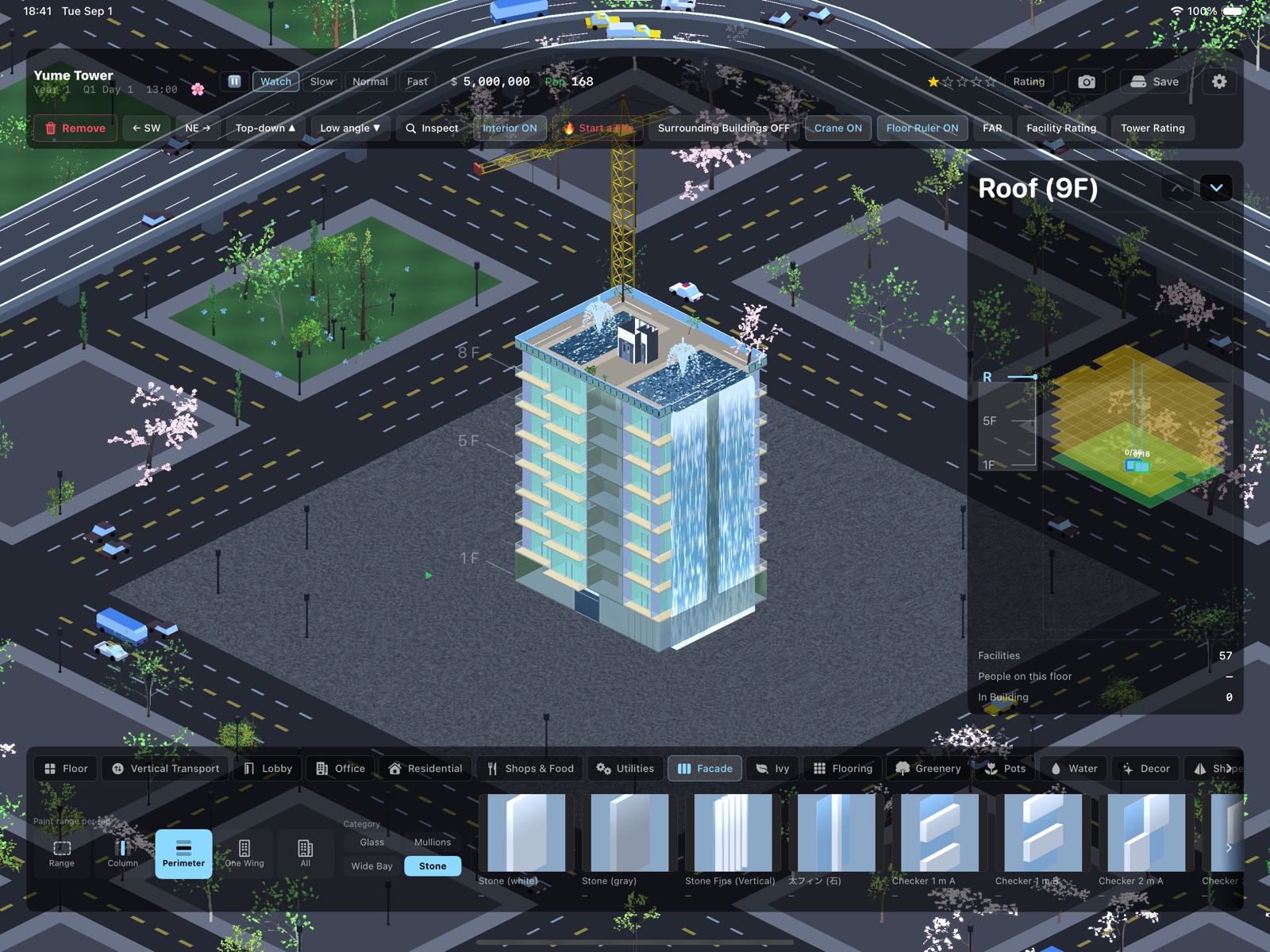
The Facade tab paints the exterior. Pick a tile, then pick a scope: the whole tower, one wing, a perimeter, a column, or a dragged range. Painting the whole tower over a mixed paint job asks for confirmation first. Wings are detected automatically, and towers joined only by a skybridge count as separate wings.
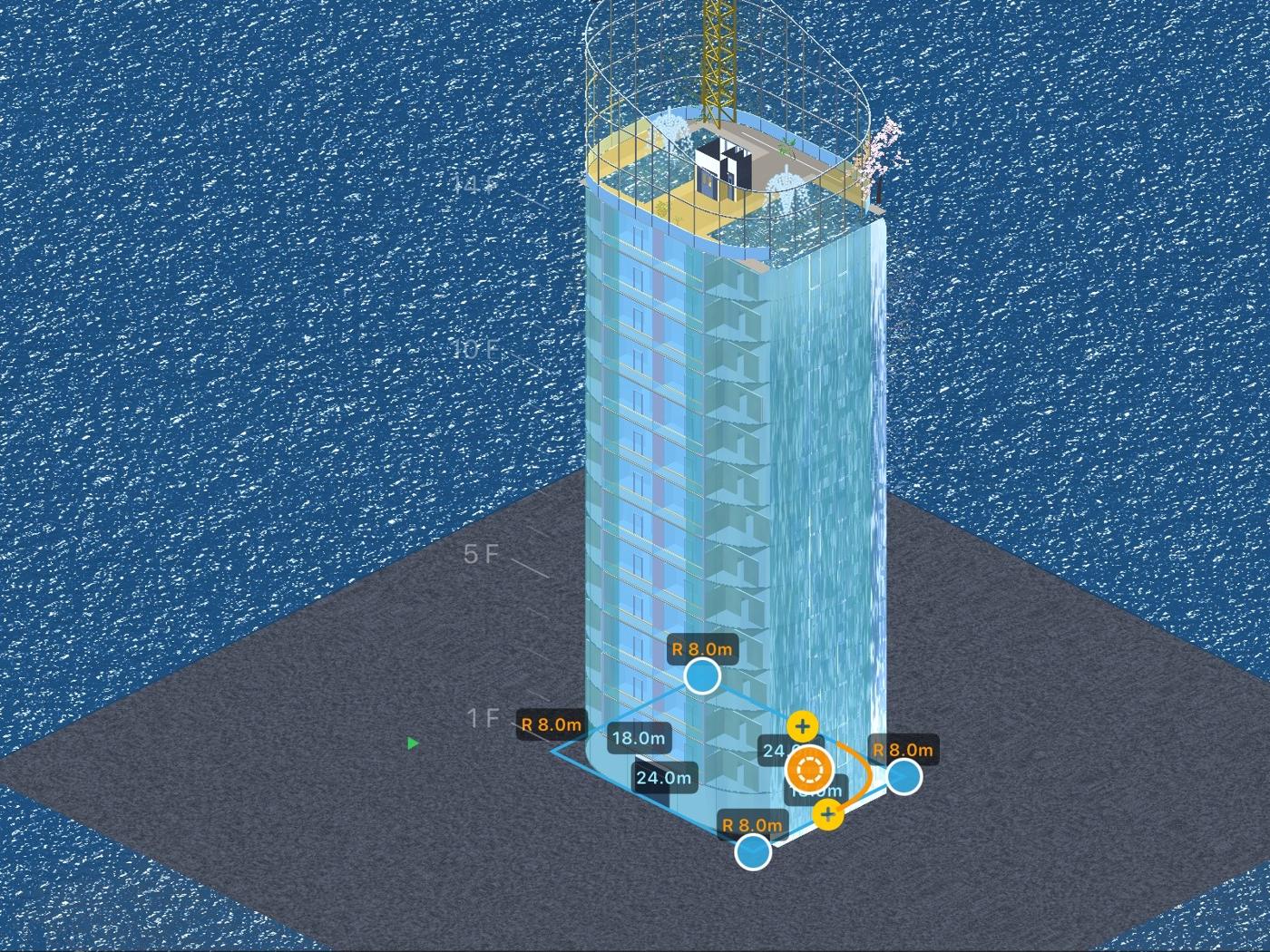
The Shape tab is the flagship toy: select a band of floors by tapping a wall, then round corners with the puck, taper the mass, or extrude. Rooms clipped by the new shell lose that floor area, and the light and the views change, which feeds straight into rent (see chapter 6). Glass Curtain draws free-form glass crowns over anything.
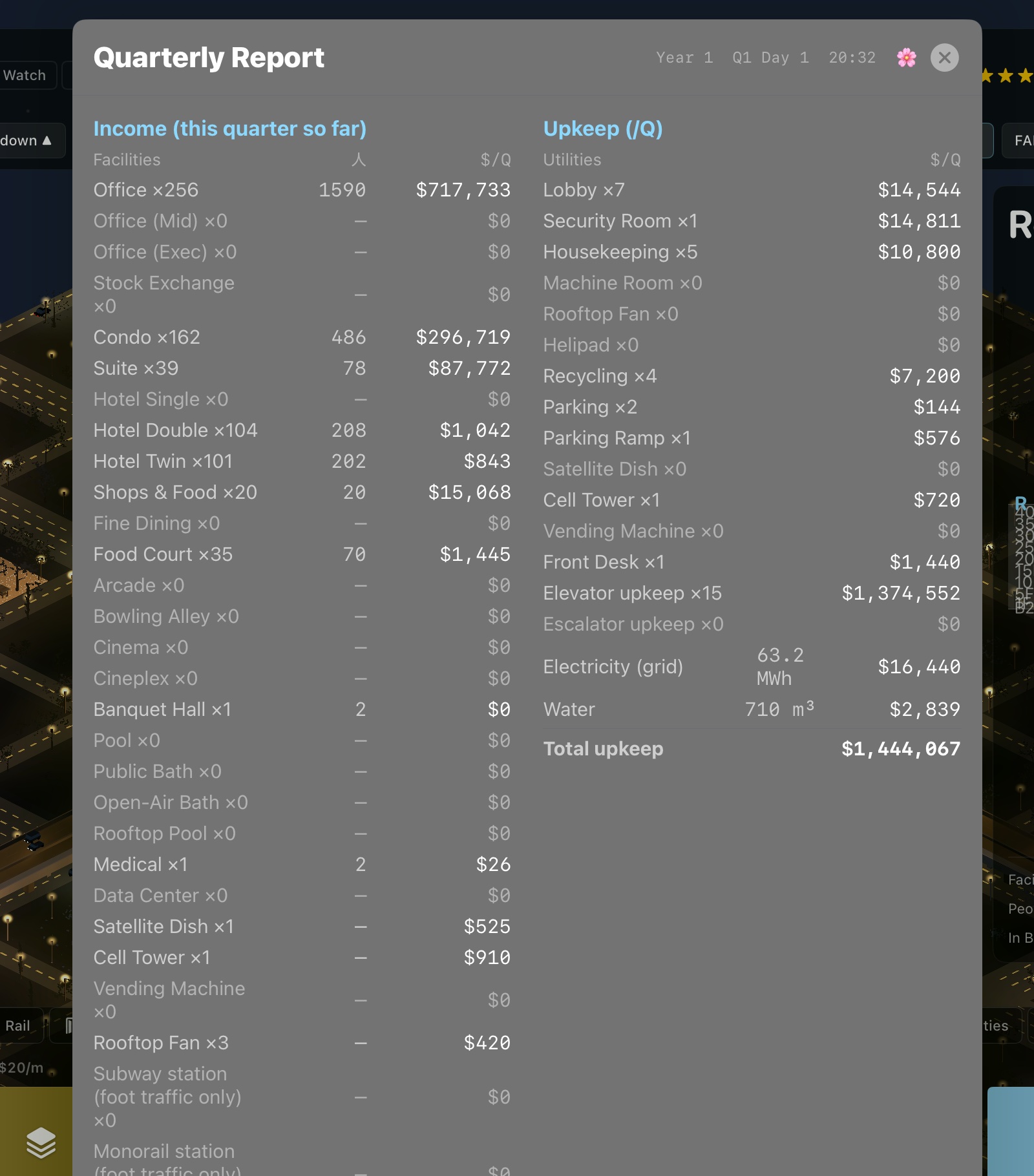
Rent accrues per quarter and lands at 05:00 on settlement day; daily takings from shops land every night at 22:00. Upkeep, elevator power and water are charged at the same time. The report explains every line, including the greening grant (chapter 6): outdoor planting and water earn you a quarterly payment from the city.
Rooms are rated by daylight and view. Daylight falls off with depth from a window; views are traced per window and are blocked by your own mass and by neighbouring buildings, and improved by parks, water and the sea. A corner office above the neighbouring skyline earns real money. Deep, windowless space does not.
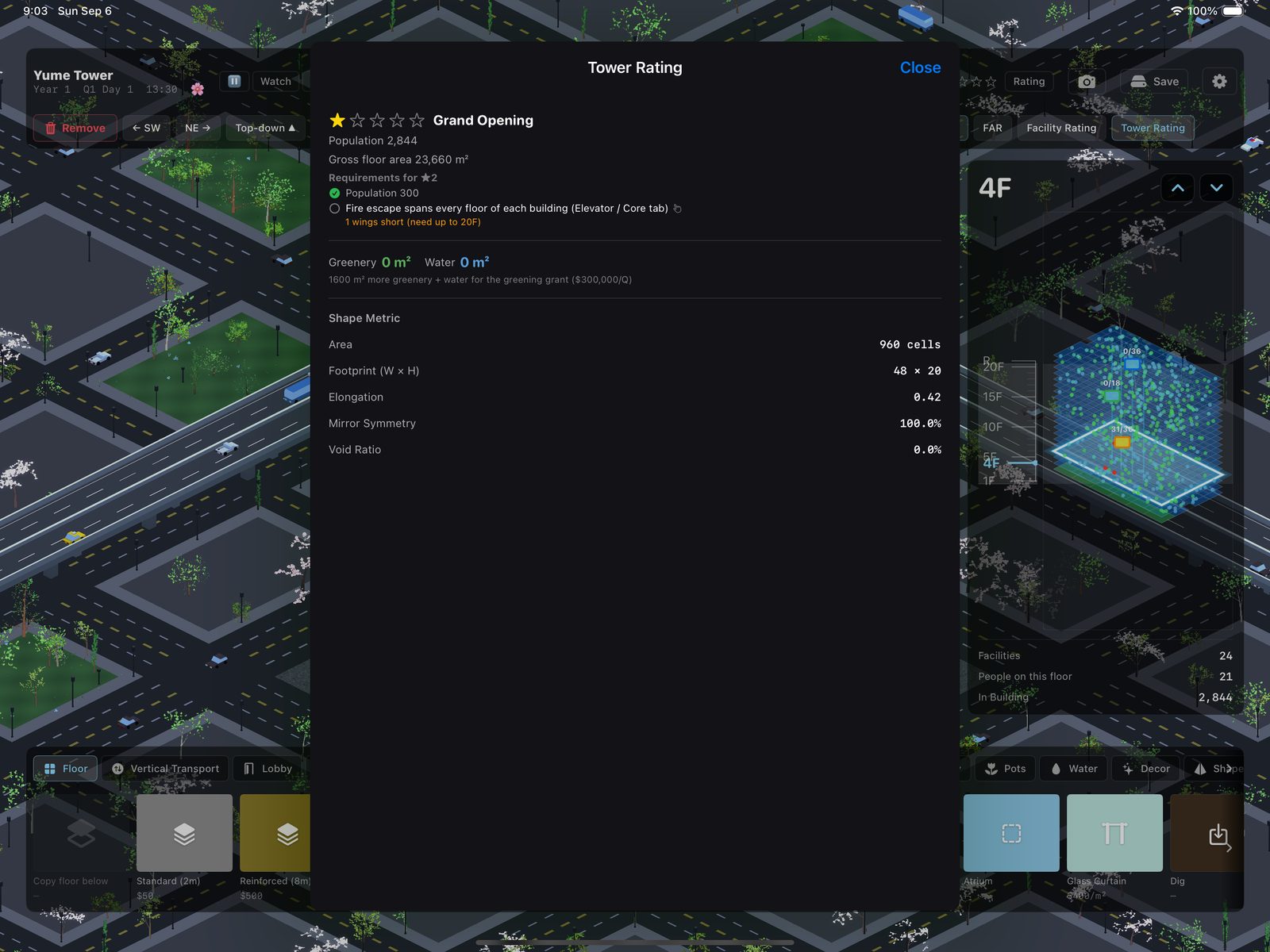
Stars are population ranks (300, 1000, 5000, 10000) with gates: every promotion needs full-height fire escapes, four stars needs security screening below your offices plus a medical center, and your recycling has to keep up with the garbage. Height is a separate limit: in the city, floors above 10F need air rights (FAR), explained next.
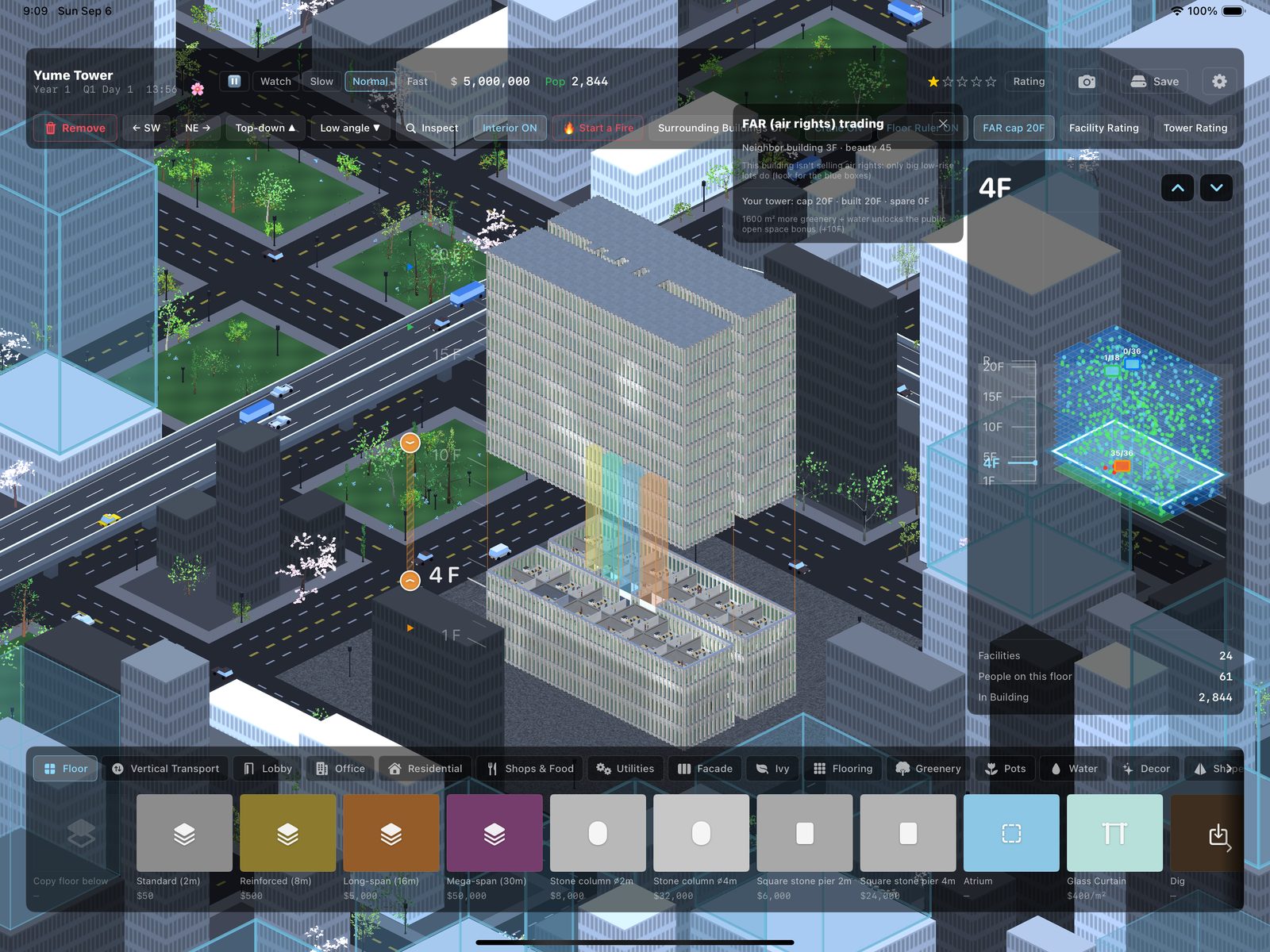
A city plot starts with a height allowance of 10 floors. To go higher you buy air rights (transferable floor area, or FAR) from the low buildings around you: tap FAR in the top bar, then tap a neighbour with a blue box. Only big, low buildings sell, and each sells a chunk of 6 to 12 floors. The price climbs about 7.5 percent per floor the higher your cap already is, and a prettier or older building charges a preservation premium. A neighbour whose air rights you bought stays low forever, which also protects your views. The city allows 120 floors at most; you may still buy past that to preserve a building, you just can't build there.
The limit only stops new construction. A preset tower or an older save keeps whatever height it already has. The sea and the desert have no neighbours, so there is no market: the cap there is the plot itself (a smaller plot may build taller).
Public open space bonus. Greenery is the city's favourite kind of open space. Keep at least 1600 square metres of outdoor planting and water on your plot and the city lifts your buildable cap by 10 floors, on top of anything you bought. Remove the greenery and the bonus goes away, though floors already built stay. The FAR panel and the Tower Rating sheet both show how many square metres you still need.
The greening grant. The same greenery pays cash. Outdoor planting and water on the plaza, terraces and roofs count by canopy footprint: a tree is 9 square metres, a grape pergola 9, a hedge or a pot 1, and each water tile 1. Indoor plants, lobby ponds and garden zones do not count, only what you can see from outside. From 300 square metres the city starts paying, and the grant scales up to $300,000 a quarter at 1600 square metres, the same line that unlocks the open space bonus. On the desert site the grant is five times larger ($1,500,000 a quarter) because irrigating anything there is expensive, and the plants cost more to match.
The quarterly report shows the grant next to the outdoor greenery and water total it is based on, so the number is never a mystery. Trees and water also raise the rent of the rooms that look at them, so a green plaza pays three times: rent, grant and height.
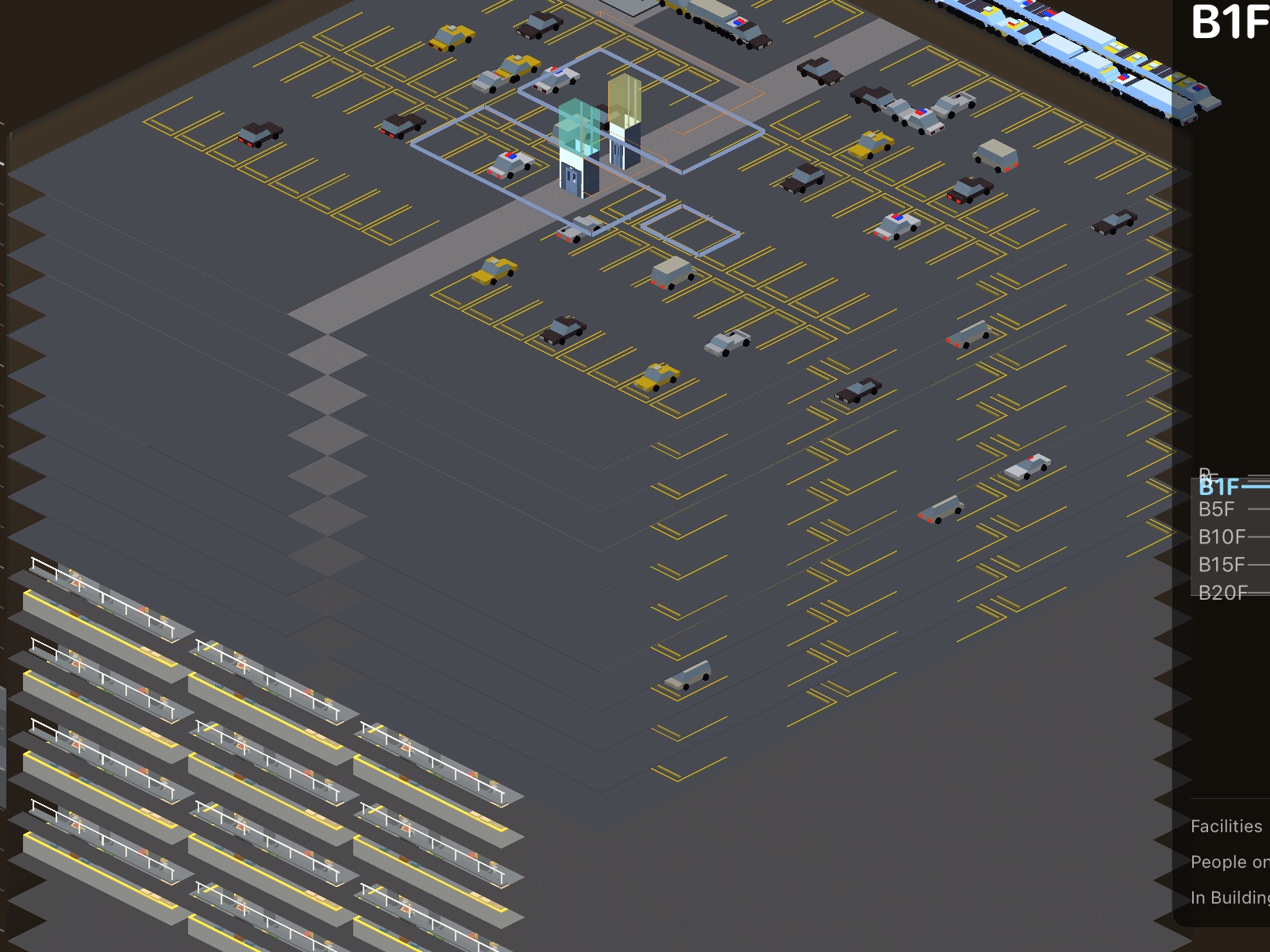
The Dig tool (rightmost on the Floor tab) creates basements. Parking floors only exist underground: dig, drag a Parking floor, then place the ramp on the ground floor and it spirals down on its own. Cars drive in through a portal in your facade. Deeper still, recycling halls handle your garbage, and subway platforms sit happily at any depth.
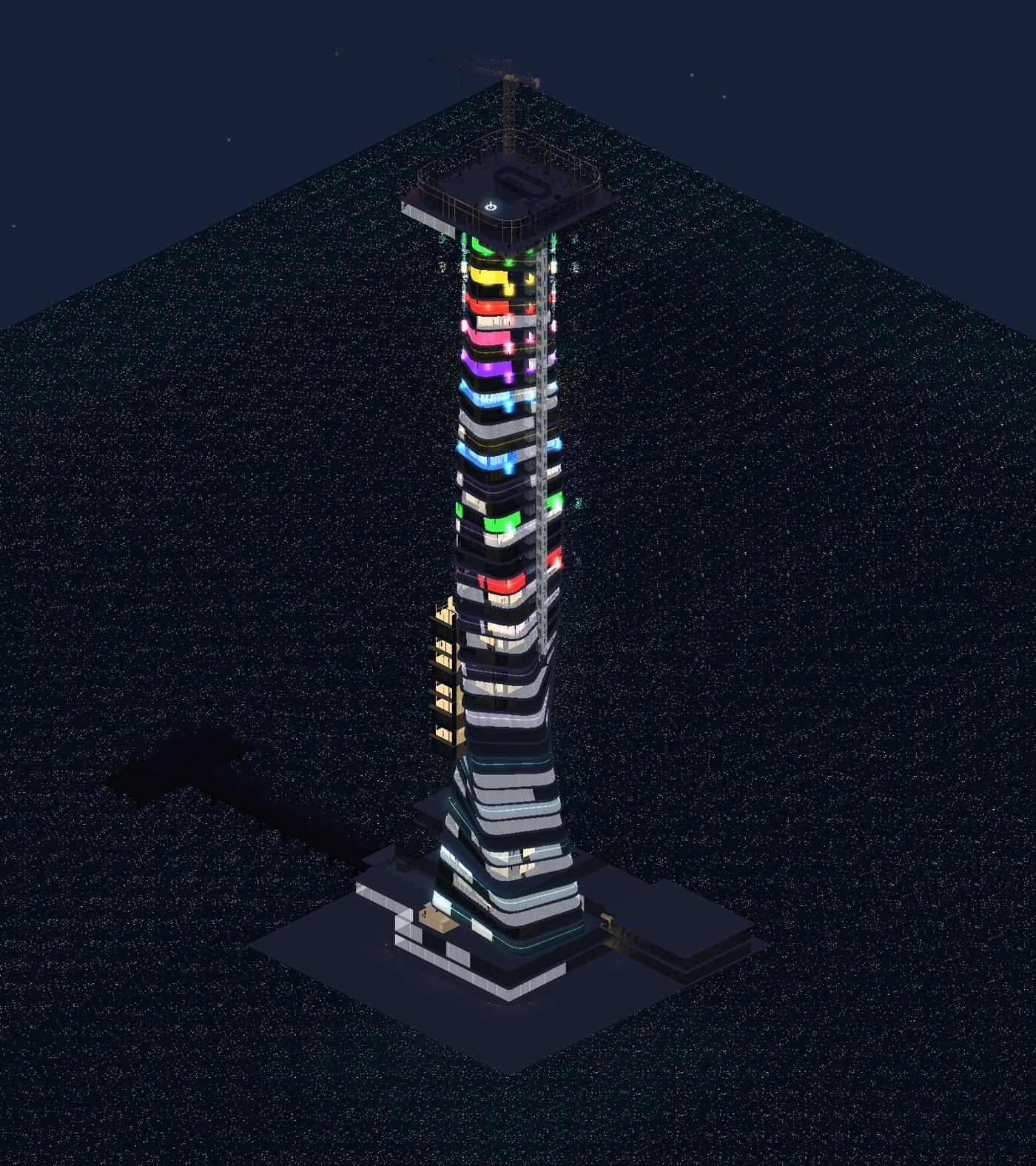
The city has neighbours, air rights and the subway. The sea has ferries, ocean views from every window, and desalination to run. The desert has cheap land, brutal daylight, and the clearest starry nights in the game. Scenario plots unlock with the full version (or with five stars).
Small things that help:
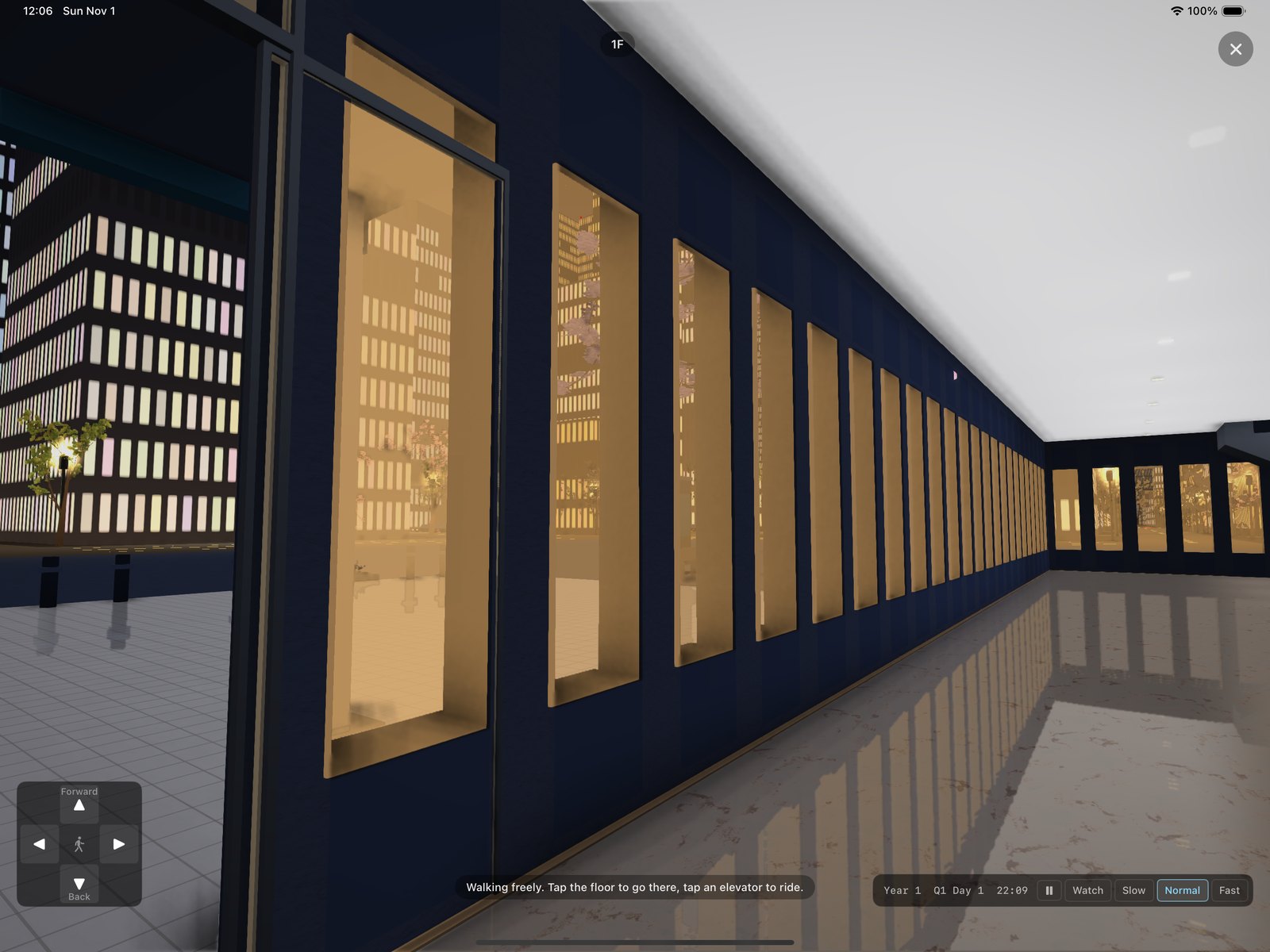
Tap the front door of your tower, then Explore in its panel. You start just inside the door at eye height and the game carries on around you. Tap the floor to walk there, or use the arrow pad (on Mac: the arrow keys or WASD). Drag to look around. Tap a person and they say a line. Walk up to an elevator and it is called for you; pick the floor and ride it, with the floor counter ticking past. Stairs and escalators are climbed by walking onto them. The X in the corner returns you to the usual view at the floor you were on. On slower devices, Tour graphics in Settings switches off the fancier lighting.
The Section chip in the top row cuts the tower vertically and shows every floor at once, with the people on all of them. Tap a floor cell to move the cut, turn the view with the camera pad, and tap a room on the cut face to inspect it.
The same game runs on iPhone, including iPhone Duo. The top row folds to one line and the palette becomes a tab row at the bottom; swipe a row sideways to reach the rest of it. The status button opens a page with the clock, money, population and the minimap, and the floor stepper sits beside it. Everything else is the same, including your purchase. An unfolded Duo shows the iPad layout.